Use an AI Song Maker to Build Your Complete Song Before You Generate It
Looking for an AI song maker that does more than hand you a few generic lyrics?
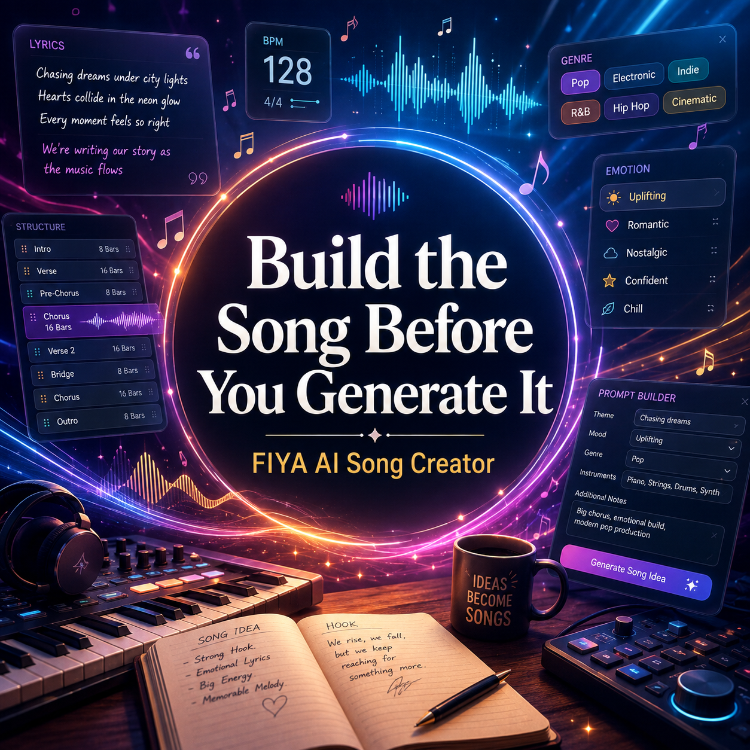
The free FIYA Song Composer helps you build the creative blueprint for a song before generating the finished audio. You can develop the title, concept, lyrics, structure, BPM, genre blend, vocal direction, emotional tone, production ideas, Suno-ready prompts, and even cover-art concepts in one guided process.
Bring your own lyrics, start with a rough idea, or begin with nothing more than a title.
The distinction is simple:
FIYA helps you build the song. Suno generates the performance.
FIYA is not pretending to be a downloadable audio generator. It is a songwriting helper designed to make the creative part clearer before you press Generate somewhere else.
Try the free FIYA Song Composer:
What Is an AI Song Maker?
“AI song maker” can mean several different things.
Some tools generate audio, while others only create lyrics or prompts.
FIYA works more like an AI songwriting assistant. It turns a basic concept into a usable song package that can include:
- A title and central idea
- Complete original lyrics
- Properly labeled song sections
- Song-length and BPM guidance
- Male, female, or duet vocals
- Emotional direction
- Up to four blended genres
- Instrument and production suggestions
- Suno-ready song descriptions
- Cover-art image prompts
Think of it as the planning room before the recording session.
Instead of asking an audio generator to make every decision, FIYA helps you decide what the song should say, how it should move, who should sing it, and what kind of sound should carry it.
Start With a Story, Not Just a Theme
A weak prompt might say:
> Write a sad country song about a breakup.
That can work, but it leaves almost every important decision open and often produces familiar images.
A stronger idea would be:
> A man returns to the town he left twenty years ago and discovers that the woman he loved still owns the diner where they used to meet. He is not asking her to take him back. He only wants to know whether she remembers who they were.
Now there is a setting, history, tension, and a point of view.
FIYA can use that idea to shape the title, verses, chorus, emotional movement, tempo, vocal character, and production style.
The tool is not there to replace your idea. It is there to help you develop it.
How to Make a Song With FIYA
1. Enter a Title or Concept
Start with a title, story, scene, emotion, or rough idea. It does not have to sound polished. It only needs to give FIYA something specific to work with.
Instead of “a song about love,” explain what kind of love it is.
Is it new love, forbidden love, exhausted love, distant love, or two people realizing they stayed together for the wrong reasons?
Specific situations create stronger songs because they give the lyrics somewhere to go.
2. Choose the Song Length and BPM
The approximate length helps shape the structure.
A short song may need to reach the hook quickly. A longer song can make room for another verse, a breakdown, or a bridge.
BPM matters just as much. The same lyrics can feel completely different at 72 BPM than at 118 BPM. A slower tempo may feel intimate or reflective; a faster one can create urgency or confidence.
Contrast can make a song more interesting.
3. Blend Genres With a Purpose
FIYA lets you combine up to four genres.
That does not mean four random genres will automatically create something original. Choose styles that share useful qualities, such as compatible rhythms, instruments, vocal traditions, or emotional energy.
Country and Southern rock can meet through storytelling and guitars. R&B and amapiano can connect through smooth vocals, deep bass, and rhythmic space.
Ask what each genre contributes: rhythm, vocals, instrumentation, or production texture.
The goal is not the strangest combination possible. It is a sound with a recognizable identity.
4. Choose the Vocal Arrangement
Select a male vocal, female vocal, or duet. Then go deeper.
Should the singer sound vulnerable, confident, playful, exhausted, angry, conversational, raspy, smooth, restrained, or explosive?
For a duet, decide why two voices are needed. Are they speaking to each other, telling different sides of the story, or representing the present and a memory?
“Male vocal” or “female vocal” tells the generator who is singing. Performance direction tells it how that person should feel.
5. Describe the Emotional Journey
Do not stop at “sad,” “happy,” or “romantic.”
Describe what the listener should feel as the song develops.
Should the verses feel lonely while the chorus feels hopeful? Should the singer stay controlled until the final chorus? Should the production grow larger with each section, or slowly strip away until only the voice remains?
Songs are more engaging when the emotion changes. A track that stays at one intensity can feel flat, even when the lyrics are strong.
6. Bring Your Own Lyrics—or Let FIYA Help
FIYA can create complete lyrics from your title, story, genres, vocal direction, mood, BPM, and desired length.
It can organize the song into sections such as an intro, verse, pre-chorus, chorus, bridge, breakdown, and outro.
You can also bring your own lyrics.
You may already have the verses and chorus but need help organizing the song, choosing the BPM, defining the production, blending genres, or creating a stronger Suno prompt.
FIYA can help with the parts you need without taking over the parts you already created.
7. Generate the Complete Song Package
Once your choices are made, FIYA brings the pieces together.
Instead of disconnected lyrics and a vague style description, you get a more complete direction for the song.
Review the result before moving it into Suno. Look for lines that are too long to sing clearly, predictable rhymes, repeated ideas, awkward wording, and choruses that do not feel stronger than the verses.
The first draft is not the final song.
FIYA currently gives free members up to seven song drafts per day, giving you room to explore instead of accepting the first result.
Try changing one decision at a time. Keep the story but change the genre. Keep the genre but change the tempo. Turn a solo into a duet. Make the verses intimate and the chorus enormous.
Each version can reveal something the song still needs.
Moving Your Song Into Suno
Once FIYA creates your song package, copy the formatted lyrics into Suno’s lyrics area and place the production description in the style or song-description area.
Keep those parts separated.
Do not place every lyric, instruction, genre, emotion, and production note into one giant box and expect the generator to understand what should be sung and what should guide the performance.
FIYA also provides a separate Suno guide:
https://fiyaplatform.com/suno.php
The guide can help when the idea is right but the performance is not.
You may need to shorten rushed lyric lines, strengthen the vocal description, adjust drifting production language, or regenerate one weak section instead of discarding the track.
FIYA gives you the blueprint. The Suno guide helps you execute it.
Does FIYA Create the Finished Audio?
No.
The FIYA Song Composer creates the creative blueprint for your song, including lyrics, structure, genre direction, vocals, tempo, emotions, instruments, production ideas, music prompts, and cover-art concepts.
You then use those materials with an audio-generation platform such as Suno to create the finished performance.
That separation is part of the value.
Audio generators can create impressive results, but they are not mind readers. When your direction is vague, the generator makes more decisions for you.
FIYA helps you make those decisions first.
How to Make AI Songs Sound Less Generic
A longer prompt does not automatically create a better song. Specific choices do.
Tell a Clear Story
Give the song a person, place, conflict, memory, decision, or consequence.
“Write a breakup song” is a theme. “Write about returning an engagement ring through the mail because you cannot face the person” is a story.
Give the Singer a Personality
Think about who is singing. Are they trying not to cry? Are they bitter, relieved, ashamed, reckless, or completely defeated?
The vocalist should feel like a character, not a generic voice attached to lyrics.
Control the Energy
Explain how the arrangement should change.
A song might begin with one instrument, add drums during the pre-chorus, open wider in the chorus, and pull back before the final emotional peak.
That movement gives the listener somewhere to go.
Name Instruments and Production Details
“Pop song” leaves hundreds of decisions unanswered.
“Minimal dark pop with muted piano, deep synth bass, restrained drums, intimate vocals, and a wide cinematic chorus” gives the generator clearer direction.
Rewrite Weak Sections
The first draft is not sacred.
Shorten crowded lines. Replace predictable rhymes. Strengthen the chorus. Remove phrases that could belong in any song. Change the point of view when the story feels distant.
Sometimes the best use of an AI lyrics generator is discovering what you want to rewrite.
Generate More Than One Version
Do not judge the entire idea from one generation.
The same lyrics and prompt can produce different melodies, singers, arrangements, and emotions. Generate several interpretations, keep the strongest moments, refine the direction, and try again.
Then let real people hear it.
AI can generate the performance. Listeners still decide whether it connects.
Is the FIYA AI Song Maker Free?
Yes.
The FIYA Song Composer is free for FIYA members and currently allows up to seven song drafts per day. A free FIYA account is required.
That is enough room to experiment without turning the process into endless random generation.
Build the Song Before You Generate It
The FIYA Song Composer is not here to remove you from the creative process. It is here to help you make stronger decisions inside it.
You bring the idea, memory, emotion, opinion, or story. FIYA helps turn those pieces into a complete song blueprint. Suno turns that blueprint into a performance. Then you decide what works, what needs to change, and what deserves to be shared.
FIYA helps you build the song. Suno generates the performance. FIYA helps you test, improve, and promote what you created.
Ready to build your song?
Open the free FIYA Song Composer, describe your idea, choose your sound, and create a complete song package ready to take into Suno.
https://fiyaplatform.com/fiyacore/fiya_song_creator/
Button: Create My Song Free
Need help generating the finished performance?
Open the FIYA Suno Guide:
https://fiyaplatform.com/suno.php
What part of creating a song gives you the most trouble—the idea, lyrics, structure, prompt, or getting the generated performance to match what you imagined?
Tell us in the comments.